
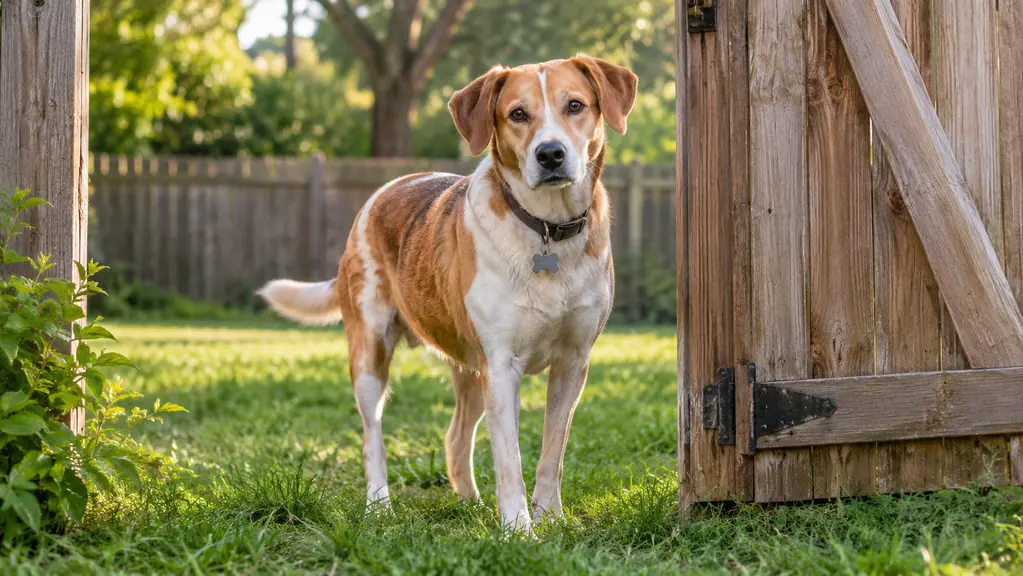
The worst part of losing a dog is not the running. It is the standing still. You are on the sidewalk with a leash in your hand and nothing on the other end of it, and your brain has gone completely blank on what to do next.
I know that feeling for about four minutes. In May, a delivery driver left our back gate unlatched, Biscuit slipped out, and my phone buzzed in my pocket. He is a five-year-old beagle mix, thirty-one pounds, and he follows his nose the way a heat-seeking missile follows heat. We found him at the neighborhood park about four blocks away in roughly twelve minutes. The reason we found him that fast was not luck and it was not my instincts. It was a Tractive tracker on his collar, bought with my own money in the first week of March when I took the library job and the house started sitting empty three days a week.
What follows is the sequence I ran, in order. It works because the tracker does one job well: it tells you where the dog is right now, not where he was ten minutes ago.
The twelve minutes only work if the tracker is already on the collar
Live location updates every 2-3 seconds, waterproof, up to 14 days of battery life, and light enough at 1.3 ounces for any dog over 8 pounds. A Tractive subscription is required to use it.
Amazon Check Today's Price on Amazon →Step 1: Confirm the alert is real before you move
My phone buzzed with a fence alert and my first instinct was to assume the app was being dramatic. Do not do that. Open the app and look at the live map before you do anything else, because it takes four seconds and it tells you whether you are dealing with a dog at the far edge of the yard or a dog three streets over.
Before May I had run that part exactly once, in March, standing in my kitchen with a bag of groceries in one arm, and I handled it badly. I assumed the app was glitching, closed it, reopened it, and only believed it on the third look. By then the dot had moved two blocks and I had burned a two-block head start on a dog that was not going to slow down for me. Now I look at the map first and question it second, which is the correct order for a tool whose entire job is to be right about a moving object.
The Tractive app updates live location every two to three seconds. Those first few seconds are the most valuable information you will get all day, since a beagle at a full trot covers ground quickly. If the dot is outside the virtual fence I set around our yard, you are not troubleshooting. You are going.
One thing to be honest about: the alerts are only as good as the fence you drew. Mine follows the actual fence line with a little margin. If yours is a sloppy circle, you will get false alarms and you will start ignoring the ones that matter.
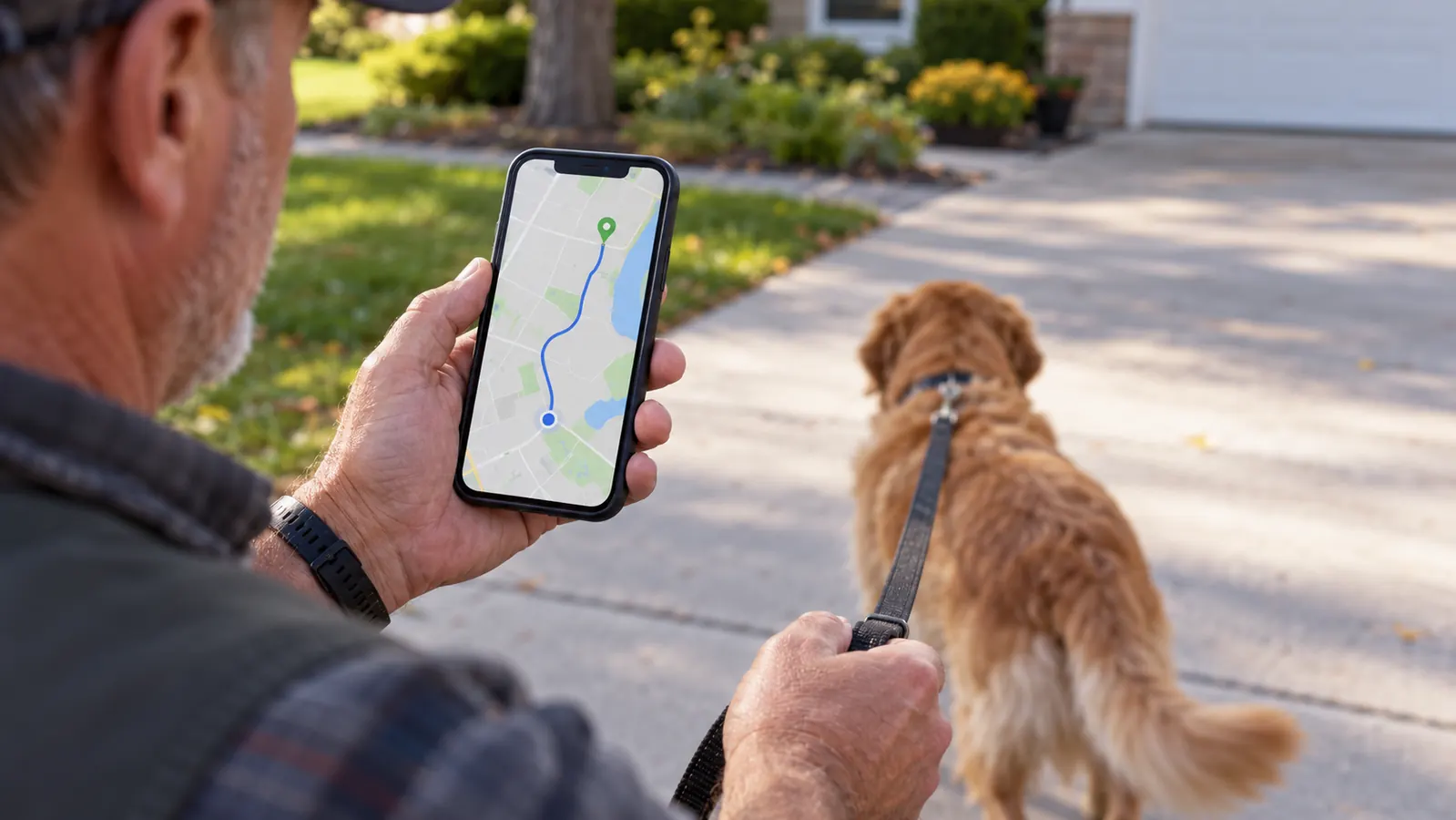
Step 2: Take the phone, one leash, and nothing else
I did not grab the treat jar. I did not grab a flashlight at two in the afternoon. I grabbed my phone and one leash and I walked out the back gate, and I want to be clear that this was the right call and not restraint I had to talk myself into.
My first thought in the driveway was to take the car, and I want to explain why I did not. A car covers four blocks in about ninety seconds, but it puts a windshield between you and a dog who is on foot and might turn down an alley at any second. You cannot hear a tag jingling from inside a car, you cannot stop dead and step out into a yard without a driveway, and every glance at a street sign is a glance away from the screen. I walked it in about six minutes. If the dot had been a mile out I would have driven and parked a block short of it, and that is the version I would recommend to anyone with a bigger search radius than mine.
Here is the reason for traveling light. When you are watching a live dot move every two to three seconds, every object in your hands is a distraction from the only screen that matters. A dog on the run is not going to be caught by a person juggling a bag of chicken. You want one hand on the phone, one hand free, and a leash ready for the moment you have a collar to clip it to.
The tracker itself is 1.3 ounces and attaches with the rubber clips that came in the box, so it is already on the collar. Nothing to assemble in the driveway.
Step 3: Walk toward the dot, not toward where you think he went
This is the step where people lose ten minutes. Your gut tells you the dog went the way he always goes on walks, and your gut is often wrong, because a scared dog does not follow a route. He follows a smell, a sound, or pure panic.
Biscuit went north. Every evening walk we take goes south, down toward the Lakewalk. I would have bet money on south. The map said north, and the map was right. I walked north.
The map is not a surveyor's instrument, and you should not treat it like one. In our part of town the dot is usually good to within a few dozen feet and noticeably worse when you are between houses with big trees over the street. What saved me was noticing that the readings were consistent in direction rather than precise in position. Every refresh put the dot a little further along the same street, so I stopped fretting about which side of the road he was on and started closing the gap along that street instead. Precision would have been nice. Direction was enough.
Watch the pattern of the dot rather than a single reading. A dot that is drifting steadily in one direction means a dog in motion, so cut the corner and intercept. A dot that is jumping around a small area means a dog who has stopped, which is when you slow down and start calling quietly instead of sprinting and shouting. Location history in the app shows you the last several readings strung together, and that line is usually more useful than any single point on it.
Biscuit went north. Every evening walk we take goes south. I would have bet money on south. The map said north, and the map was right.

Step 4: Close the distance quietly and get a hand on the collar
Once the dot is inside a block of you, put the phone away and start thinking like a person approaching a nervous animal rather than a person chasing something. I found Biscuit at the edge of the park, near a bench, sniffing something extremely important.
I did not call his name in a panic voice. A panicked voice makes a nervous dog nervous. I crouched, said his name the way I say it in the kitchen, and let him come the last eight feet. Then the leash went on the collar and my hands shook for a minute afterward, which is normal and fine.
The other thing I did at that bench, after the leash was clipped, was stand there for a full minute and let both of us settle. Biscuit was panting and I was not much better. Waiting instead of marching straight home gave me a chance to look at the record one more time and see that the dot had never once left the park, which told me he had been in there for most of the search rather than passing through on his way somewhere worse. You only learn that by standing still with the history open in your hand.
If your dog is truly spooked and bolts from you, do not chase. Sit down and wait with the phone open. A moving dot you can read beats a dog you have scared further. This is the part where having live updates every few seconds earns its keep, because you can watch him settle without pushing him.
Step 5: Do the boring follow-up that prevents the next one
The search is the emergency. The afternoon after is the part that actually decides whether this happens again. My afternoon involved a phone call to the delivery company, a new latch on the gate, and a hard look at where my virtual fence line actually sits.
Three things I would do in that first day. Charge the tracker to full, because mine had been running about four days by then and the battery average life is up to 14 days but you do not want to test the edge of that on a stressful week. Confirm the rubber attachment clips are seated properly on the collar, since a tracker that pops off in a hedge is a tracker you have lost along with the dog. And walk your normal route with the app open so you learn what the dot looks like when the dog is doing something ordinary.
That last one sounds fussy. It is the single most useful thing I did, though, because it taught me how the map lies a little in dense neighborhoods and how it behaves near the water. Knowing the tool on a Tuesday walk means you are not learning it during the worst hour of your year.
What Else Helps
A tracker finds a dog, but a few low-tech habits make the tracker work better and cover the gaps it does not fill. These cost almost nothing and they are worth more than another gadget.
Make sure the collar tag is current. I had our phone numbers on Biscuit's tag already, but I checked that afternoon and one number was a landline we had not had in years. A neighbor who finds a dog reads a tag before they think about scanning anything.
Tell the people nearest you first. In our case that meant the two immediate neighbors who were out in their yards and could watch the street while I walked. Dogs get spotted by people, not by satellites, and the tracker just tells you which people to ask.
Have a light and a plan for dark. Mine happened at midday. A fence alert at nine at night is a different problem, and knowing which neighbor has a working flashlight before you need one is the kind of small preparation that pays off exactly once.
And know what the Tractive tracker is not. The heart and respiratory rate monitoring is a curiosity for me, not a substitute for Dr. Anand, and the bark monitoring told me more about Biscuit's afternoon than I strictly needed. It is a location tool first. Treat the rest as a bonus and you will not be disappointed.
What I'd Tell You If We Were Sitting at My Kitchen Table
I would tell you to buy the tracker before you need it, and I would tell you it is not a magic collar. It needs a subscription, which I pay for, and it needs charging about every ten days the way I use it. The app is competent rather than pretty, and the first week of alerts took some tuning before it stopped being noisy in my pocket.
What it gave me was four blocks of certainty in a moment when I had none. Twelve minutes from buzz to leash. I have been in tech for twenty-six years and I have watched a lot of products promise that kind of thing and deliver a spinner. This one delivered a dot on a map that was right.
Buy it for the bad day, not the good one
Live tracking every 2-3 seconds, a virtual fence you draw yourself, a 2 year manufacturer warranty, and 1.3 ounces that a 31 pound dog does not notice. Subscription required.
Amazon Check Today's Price on Amazon →